Camera Composition Guide
Tutorial 2D Animation 2026-08-27
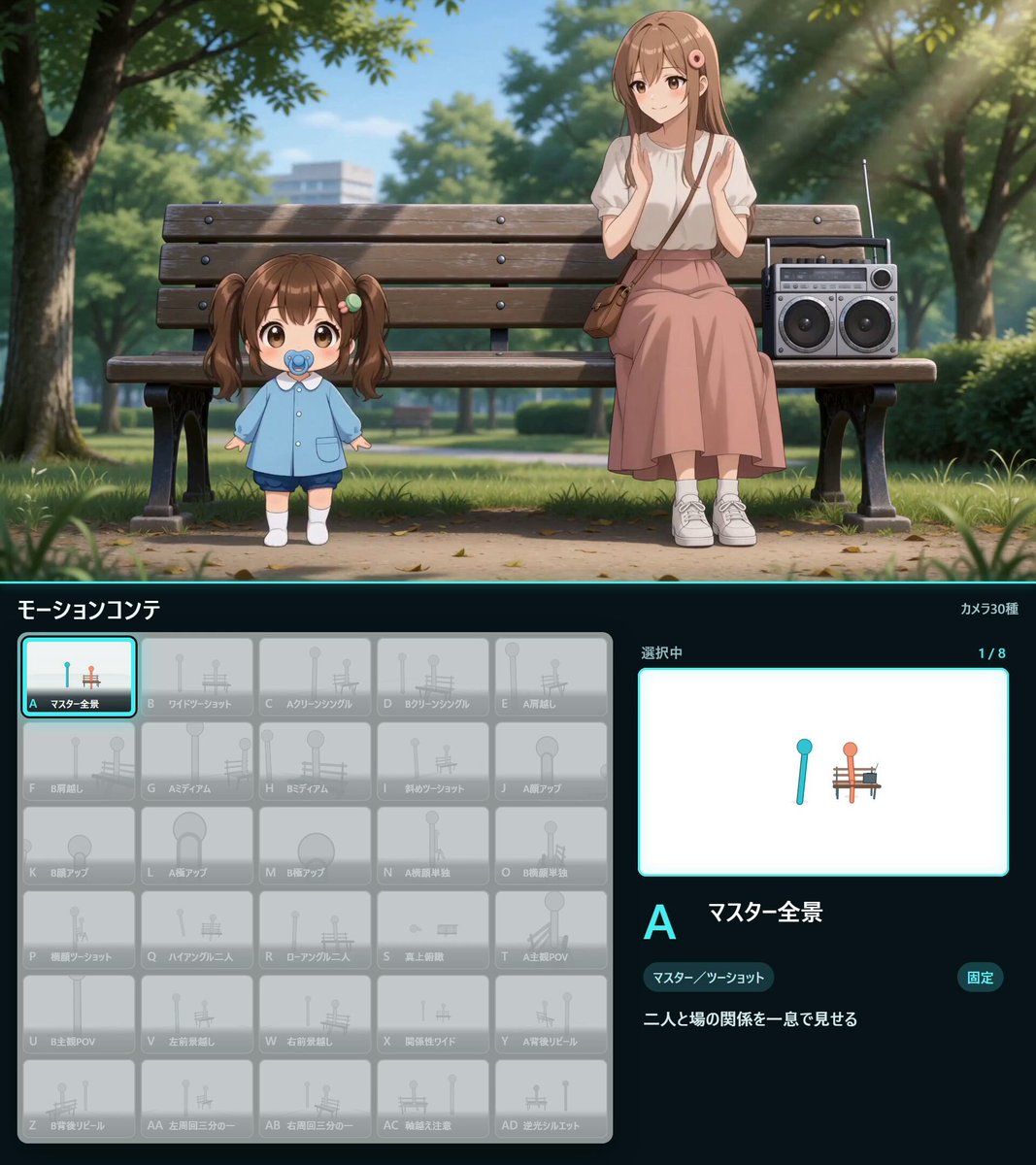
Footage © @Kashiko_AIart · View original post
The clip was published publicly by its creator and is linked here directly; rights holders may request removal.
Full prompt
Remotionでカメラ構図一覧を作りました!

構図をID化し、Codexに順番を伝え、モーション動画として組み立ててもらいます

⬇

Codex → 今回はSousaku AIへ接続し、Minimax H3で生成しました。
#SousakuAI

✅カメラ構図&モーションコンテ作成プロンプト

RemotionとHTML、CSS、SVGを使って、動画生成AIへカメラ構図を伝えるための「カメラ構図一覧」を作ってください。

30種類のカメラ構図を、HTML画面上の6列×5行グリッドに並べてください。

被写体は、位置と傾きだけが分かるシンプルなi字人形を2体使います。人物Aはシアン、人物Bはオレンジにして、向きと位置関係を判別しやすくしてください。背景や家具も単純な図形で表現してください。

全景、ツーショット、人物A・Bの寄り、肩越し、横顔、俯瞰、あおり、主観、前景越し、背面、周回など、重複しない30種類を作ってください。

各パネルには次を表示してください。

・ID:A〜Z、AA〜AD
・構図名
・シンプルな構図サムネイル

ブラウザで単体動作するHTMLと、編集可能なRemotionソースを出力してください。
Details
| Target model | MiniMax H3 |
|---|---|
| Use case | Tutorial |
| Style | 2D Animation |
| Media | Video |
| Duration | 22.5s |
| Aspect ratio | 8:9 |
| Likes | 425 |
| Published | 2026-08-27 |
Attribution
Author: @Kashiko_AIart · View original post
Prompts remain the copyright of their authors. We index and quote them with attribution plus a link to the original post; rights holders may request removal.
Run this prompt through the API
Copy the prompt above into a MiniMax H3 (Hailuo) text-to-video call to reproduce the shot. When adapting it, swap subject, setting and camera move one clause at a time. Access and licensing details are on About.