Character Design Board Animation Demo
Tutorial 2D Animation 2026-08-22
Footage © @aimikoda · View original post
The clip was published publicly by its creator and is linked here directly; rights holders may request removal.
Full prompt
MiniMax H3

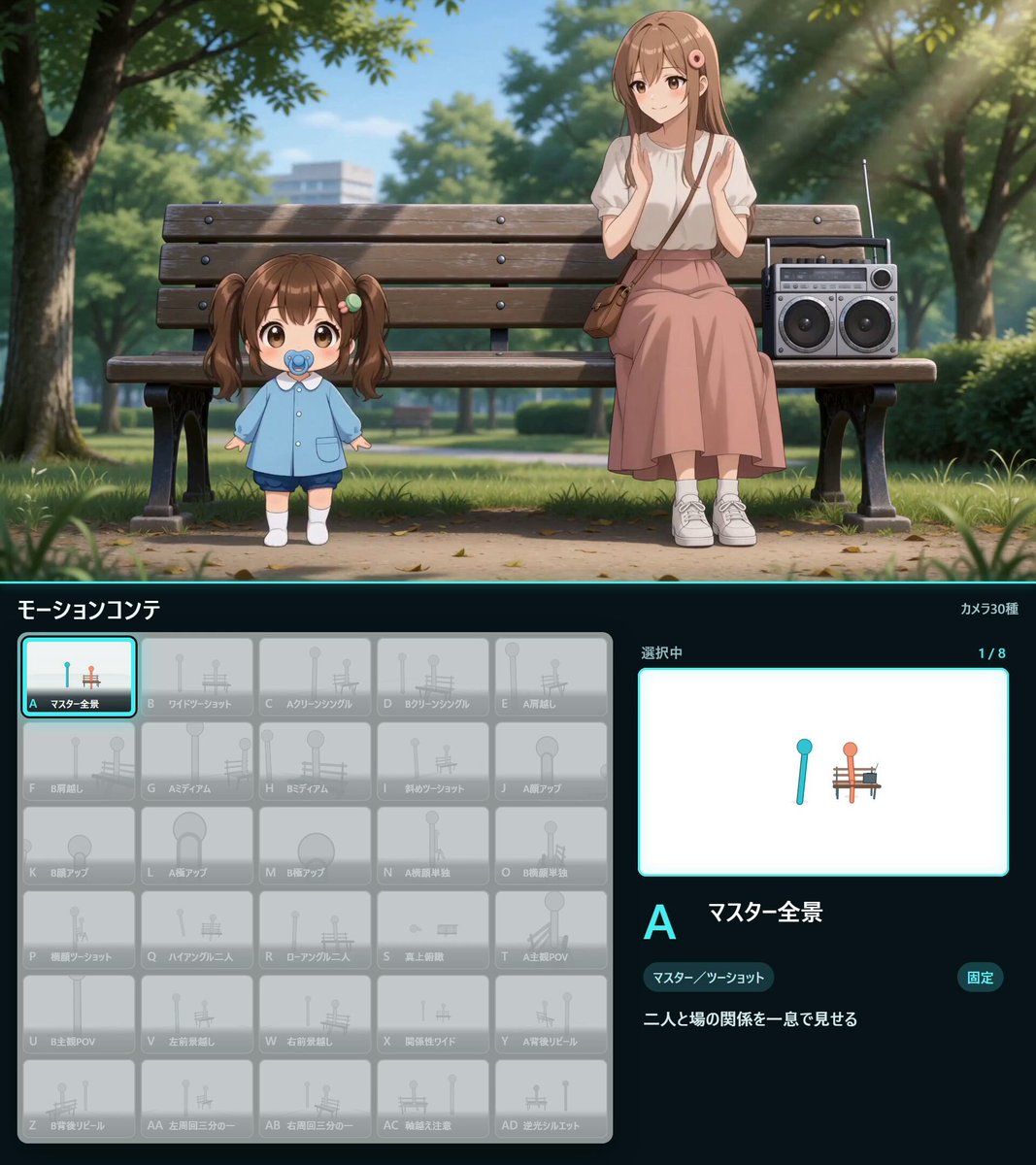
Character Board Animation (Bottom Video) & Character Intro Animation (Top Video)

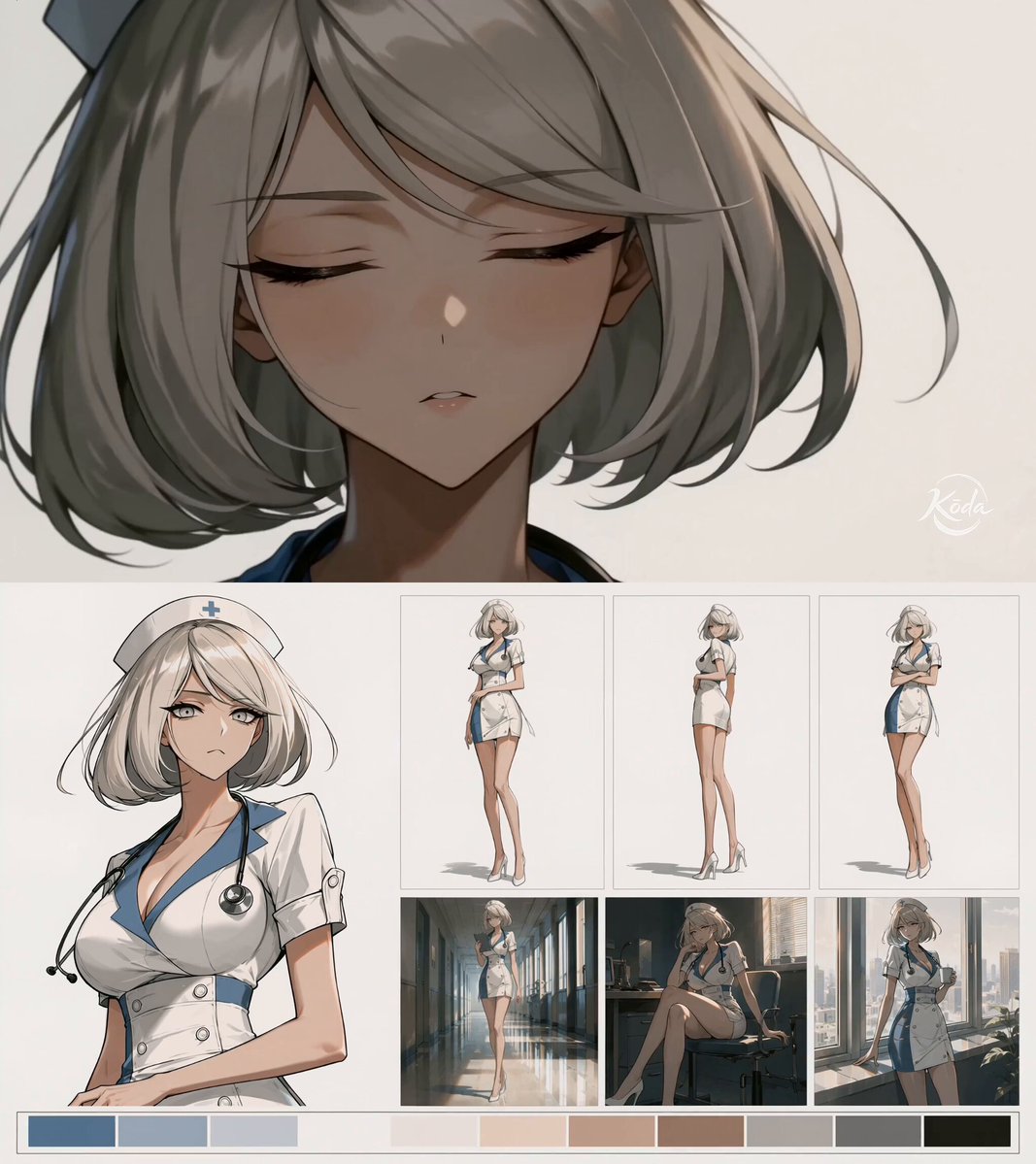
First, we create our character board in GPT Image 2 or Seedream 5 using our character reference image. Then, we use that board as a reference in MiniMax H3 to turn it into an animated character board. Also, you can create another character animation with this board.

You can find the prompts below.

### Author's additions

[Addition 1]
MiniMax H3

Character Board Animation (Bottom Video) & Character Intro Animation (Top Video)

First, we create our character board in GPT Image 2 or Seedream 5 using our character reference image. Then, we use that board as a reference in MiniMax H3 to turn it into an animated character board. Also, you can create another character animation with this board.

You can find the prompts below.

[Addition 2]
GPT Image 2 / Seedream 5 - Character Board Prompt:

Use the reference image as the sole source for the character’s identity, design, facial features, hair, proportions, outfit, color language, and illustration style.

Create a clean 16:9 artistic character introduction board with an editorial artbook aesthetic. Keep the layout fixed and keep every section in a stable position.

Layout structure:
- Left 40%: one large stylish waist-up portrait pose of the character.
- Upper-right area: 3 full-body character pose panels arranged horizontally in a single row.
- Lower-right area: 3 cinematic environment panels arranged horizontally in a single row directly below the full-body poses.
- Bottom full-width strip: one horizontal color palette derived directly from the reference character.

Use a single solid off-white background across the entire board. Keep the outer canvas clean and uniform with no gradients, textures, scenery, decorative background patterns, or color blocks behind the layout.

Do not rearrange, resize, swap, or reinterpret these sections. The large portrait must stay on the left. The 3 full-body poses must stay in the upper-right row. The 3 environment panels must stay in the lower-right row. The color palette must stay along the bottom.

The 3 full-body pose panels must clearly show the character’s full silhouette, outfit, and personality through different poses.

The 3 environment panels must also include the character, shown in different natural settings and under different lighting conditions. Give the character a different natural pose in each environment, interacting believably with the space through actions such as walking, sitting, leaning, resting, looking out, or casually occupying the scene. Avoid repeated standing poses.

Choose environments, poses, lighting, and visual accents that naturally fit the character’s design and personality. Carry the character-derived color palette throughout the board.

Keep strong character consistency across all panels. Minimal or no typography, subtle framing lines, elegant spacing, polished concept-art presentation. No redesign, no unrelated elements, no watermark.

---
Bottom Video
MiniMax H3 Prompt for Board Animation:

Use the provided character board @[board reference] as the sole visual source. Animate the existing static board itself while preserving the exact 16:9 composition, panel positions, character design, illustration style, color palette, and solid off-white background.

Keep the camera completely static for the entire video. No zoom, pan, tilt, reframing, parallax, or camera movement of any kind. The board itself must remain perfectly locked in place.

The large waist-up portrait on the left is the main animated focal point. Let the character naturally change pose within the existing portrait area: subtle head turns, gaze changes, shoulder and upper-body shifts, small hand or arm movements when visible, expression changes, blinking, breathing, and gentle hair and clothing motion. Avoid repeating a single idle loop. Make it feel like a short sequence of natural portrait poses.

The 3 full-body characters in the upper-right must remain in their exact panel positions and each perform a smooth full 360-degree turn in place, like a character turntable. Preserve their original proportions, outfit, identity, and panel boundaries.

The 3 environment panels in the lower-right must remain fixed inside their frames. Animate each scene subtly and differently, preserving its original setting and lighting. Let the character perform small natural actions appropriate to the environment, such as walking a few steps, shifting posture, sitting naturally, leaning, looking around, or reacting gently to the surroundings. Add restrained environmental motion such as rain, wind, moving clouds, reflections, foliage, drifting particles, or subtle lighting changes where appropriate.

Keep the bottom color palette completely static. Keep the solid off-white board background unchanged.
Details
| Target model | MiniMax H3 |
|---|---|
| Use case | Tutorial |
| Style | 2D Animation |
| Media | Video |
| Duration | 15.1s |
| Aspect ratio | 1023:1150 |
| Likes | 319 |
| Published | 2026-08-22 |
Attribution
Author: @aimikoda · View original post
Prompts remain the copyright of their authors. We index and quote them with attribution plus a link to the original post; rights holders may request removal.
Run this prompt through the API
Copy the prompt above into a MiniMax H3 (Hailuo) text-to-video call to reproduce the shot. When adapting it, swap subject, setting and camera move one clause at a time. Access and licensing details are on About.